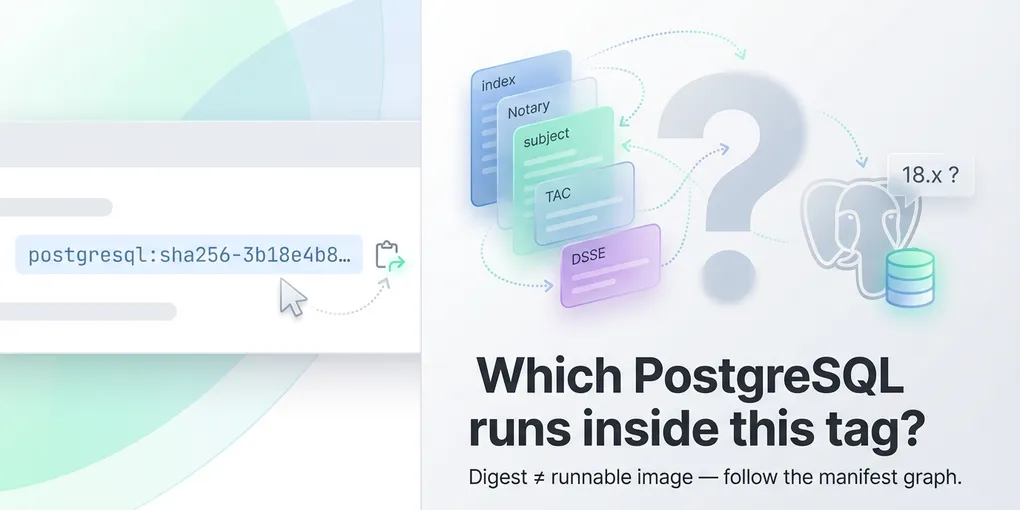
When the sha256 tag is not your container image
Copy-paste from a container registry UI is supposed to be boring infrastructure work. Every so often it turns into a short detective story.
This note is about one pattern that bit me while working with Bitnami Secure PostgreSQL on Docker Hub (docker.io/bitnamisecure/postgresql). The specifics are from that ecosystem, but the OCI layout lesson generalizes: a “digest” you see is not automatically the digest of the multi-arch image you run in production.
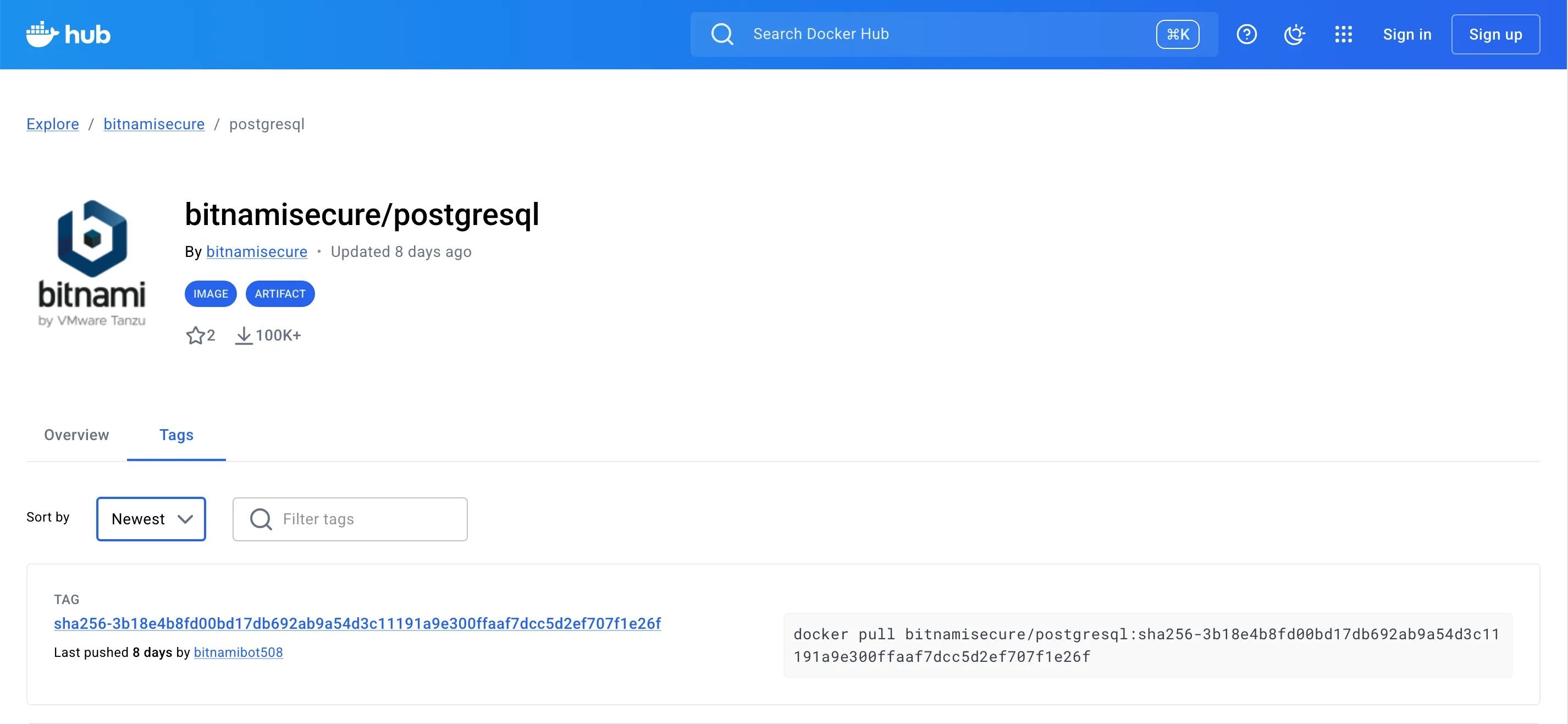
What I thought I had
Many registries display tags like:
bitnamisecure/postgresql:sha256-<64-hex-chars>If you treat that like a normal versioned tag and run tooling that expects a manifest list with explicit platforms (linux/amd64, linux/arm64, …), you may get an empty result—or worse, misleading assumptions about what you pinned.
What docker manifest inspect showed
For one such tag, the top-level object was an OCI image index with a single child manifest. That child had empty platform.os and platform.architecture.
A naive script that only selects .manifests[] where os == linux and architecture is amd64 or arm64 will conclude: “no usable platforms here,” and bail.
That is not because Docker is broken. It is because the first hop is not “the postgres image for your CPU.”
Following the graph: signature, then subject
Pulling the child manifest with a registry tool (for example crane) shows a Notary-style signature manifest: config media type under the CNCF Notary signature family, and a subject field pointing at another digest—the one that often matches what the webpage highlighted.
That subject digest is still not necessarily your runnable postgres root filesystem. In my case it sometimes resolved to a VMware TAC-style bundle: layers full of SPDX, STIG reports, CycloneDX, scan outputs, and so on. Helpful for compliance; not what kubectl or docker run was waiting for.
When the subject is not TAC metadata, the next hop might instead be a Docker v2 manifest list or an SLSA attestation (DSSE envelope) whose in-toto subject array lists the real per-architecture image digests. None of that is visible if you only look at the top-level index and give up when platform is empty.
Buried in TAC layers there is often a small JSON artifact (application/vnd.vmware.tac.product-metadata.layer.v1+json) with a product name and version (for example PostgreSQL 18.3.0). That version is real, but it describes the attestation bundle, not “the image I just deployed” unless you have separately pinned the correct runnable manifest.
Catalog “20” versus PostgreSQL major
Do not read vendor track or catalog numbers as PostgreSQL major versions. You can follow every digest, decode provenance, and still see PostgreSQL 18.x in labels and SLSA metadata while some other “20” on a marketing or packaging line refers to something else entirely. Trust the image config and predicate text, not the headline number in isolation.
Mental model (short)
| What you want | Typical shape |
|---|---|
| Runnable image, reproducible per CPU | Manifest list (multi-arch) with one entry per linux/amd64, linux/arm64, …, each pointing at an image manifest whose config is a real container image |
| Compliance / signature / SBOM sidecar | Often an index or artifact manifest with subject linking back to something else—sometimes metadata, sometimes the image, depending on the publisher |
The UI does not always make that distinction obvious when it cheerfully offers “copy digest.”
Practical checks you can run
Inspect the tag you care about:
docker manifest inspect docker.io/bitnamisecure/postgresql:sha256-<hex>- If you see
manifestswith populatedplatformfor your architectures, you are in the happy path: pick the digest for your arch or keep using the list digest if your runtime accepts it.
If platforms are missing or the graph looks odd, fetch the child manifest with crane manifest and look for:
subject(follow it until you hit a manifest list, a DSSE envelope, or a dead end),- a
manifestsarray with reallinux/amd64/linux/arm64entries (often only after the signature hop), - DSSE (
application/vnd.dsse.envelope.v1+json): decodepayloadwith Base64 and inspect the in-totosubjectlist for per-arch digests, - layer
mediaTypes that look like SBOM/attestation (+json,notary,tac., etc.), - versus
config.mediaTypematching a container image (application/vnd.docker.container.image.v1+jsonorapplication/vnd.oci.image.config.v1+json).
What to pin instead
For production I still want an explicit immutable reference, but it should be the digest of the image manifest (or the list digest that only points at runnable children) that my orchestrator will unpack—not a signature envelope I mistook for the image.
A workflow that works well:
- Start from a manifest list you trust (
:latest, a release tag, or whatever your vendor documents). - Inspect the list, take the per-architecture digest you deploy.
- Reference
image@sha256:<that digest>in your manifests.
Re-verify after every rebuild; digests are supposed to change when bits change.
Personal helper script
For my own debugging I keep a POSIX sh script that automates the resolution order above (Notary subject chain, VMware TAC product-metadata, Docker/OCI manifest lists, SLSA DSSE / in-toto subjects). It is personal tooling, not something I ship with day-job repositories.
- In-tree copy:
scripts/resolve-bitnami-postgresql-tag.shnext to this site’s source (ISClicense in the file header). - GitHub Gist: view · raw (e.g.
curl -fL -o resolve-bitnami-postgresql-tag.sh <raw-url>then inspect andchmod +x).
Dependencies are Docker, jq, and Google’s crane.
Closing
Supply-chain metadata attached to images is a good thing. Confusing that metadata’s digest for the runnable image digest is not.
Knowing which digest is actually runnable—and not trusting a tag or a metadata string at face value—is also how you reduce exposure when a tool’s supply chain is attacked. The TeamPCP campaign in March 2026—which among other targets abused Trivy’s distribution pipeline (GitHub tags, Actions, related Docker flows)—is a concrete reminder that “install the scanner” is not enough if you cannot verify what binary or image you really pulled. Rami McCarthy’s living timeline TeamPCP Supply Chain Campaign documents the multi-ecosystem chain (GitHub Actions, Docker Hub, registries, and downstream consumers) in detail. The same discipline—manifest walks, docker manifest inspect, registry-native checks—helps you catch drift or substitution before it reaches your clusters.
I am still re-validating details against the live registry as tags move; treat the commands above as debugging tools, not as a guarantee about any single tag name. If your registry does the right thing, docker manifest inspect and one frustrated afternoon will still teach you what your actual graph looks like—and that is worth a blog post, apparently.
If you automate this, teach the resolver to walk subject in a loop, then handle, in order: TAC product-metadata (metadata-only tags), a Docker/OCI manifest list with platforms, and SLSA DSSE payloads (in-toto subject entries for linux/amd64 and linux/arm64). Only then concede “no runnable digests here.” Your future self thanks you.
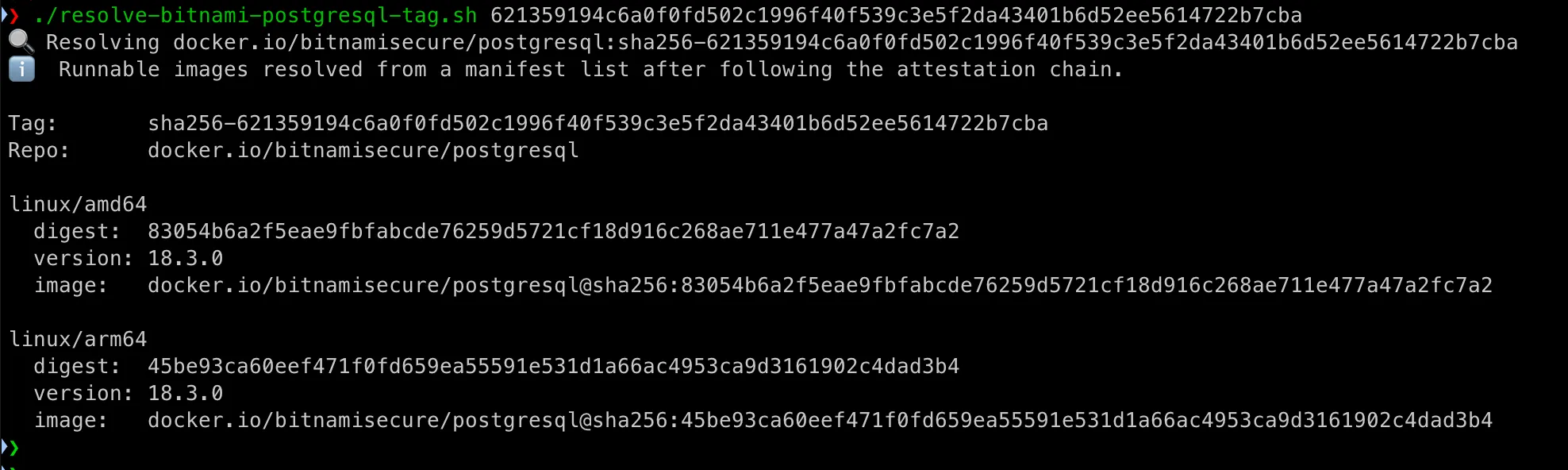
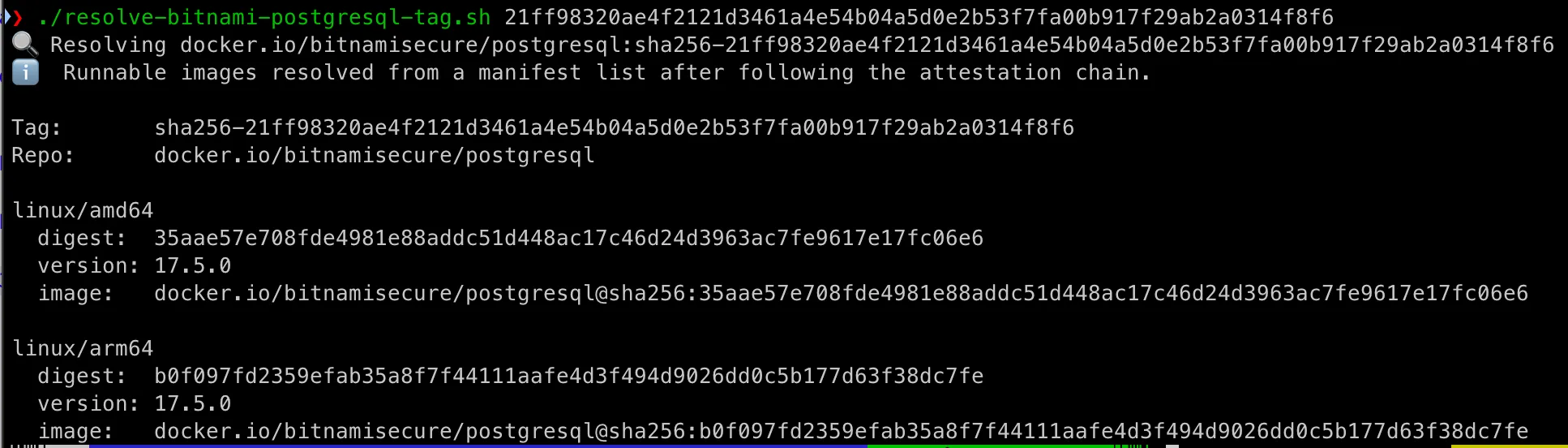
The helper script above is wired for Bitnami Secure PostgreSQL—image names, layer hints, and the exact hop order I needed in anger. Nothing stops you from forking the same idea for another publisher: Redis, MongoDB, a corporate mirror, anything that wraps signatures and metadata the same way. A little invention, a few jq tweaks, and you have your own resolver. If you build something useful, enjoy the debugging and share it—someone else is about to paste the wrong digest too.